

If you're looking to analyze Google Analytics 4 data across multiple categories, such as event names and page titles or sessions and traffic source, you can do this by using Metric Builder and selecting more than one dimension.
This allows you to view a more detailed breakdown, such as how many users triggered a specific event on specific pages, and from which source or medium they arrived.
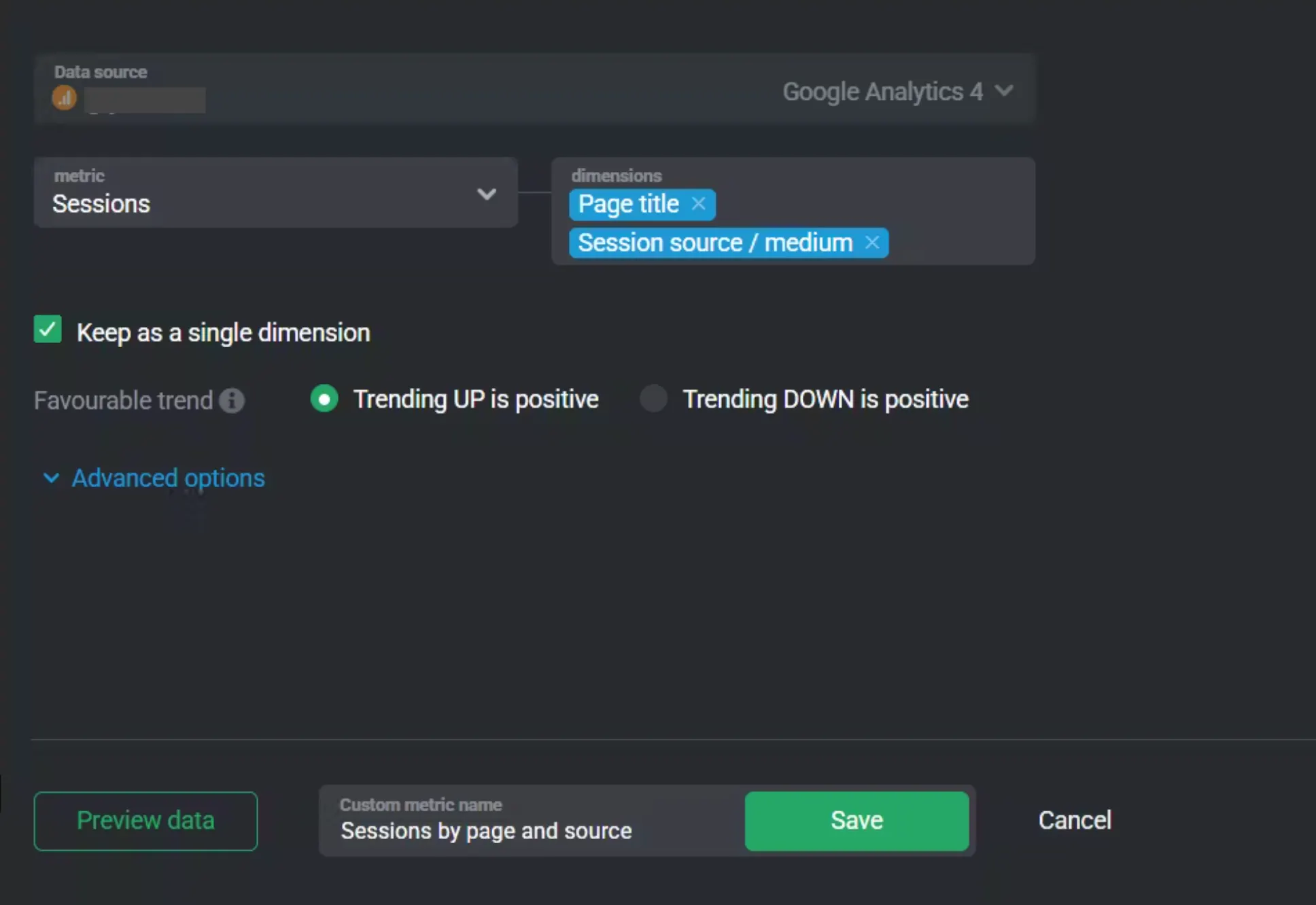
Open Metric Builder and select Google Analytics 4 as the Data Source.
Set the metric to Sessions.
Set the dimension to Page Title.
Set the second dimension to Session source / medium.
Check the box labeled Keep as a single dimension.
Alternatively, you can set the Metric to Event Count to measure the count of events:
Filter type: Dimension
Dimension: Event name
Operator: Is exactly
Value: call_scheduled (or any event you want to track)
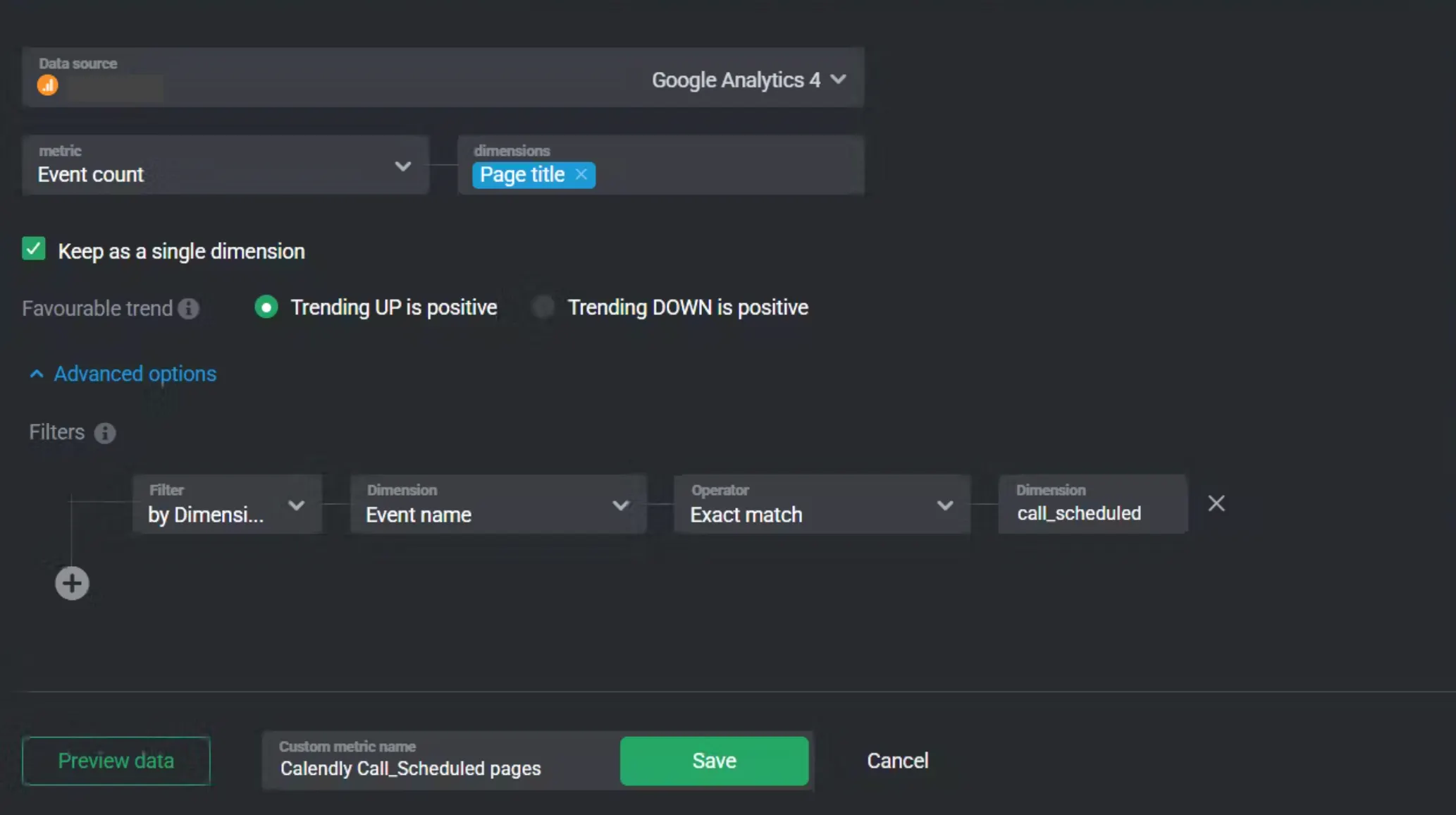
This setup allows you to view sessions for a specific event while seeing where users came from and which pages they interacted with.
For more guidance, visit: How to create Custom Metrics using GA4.
