

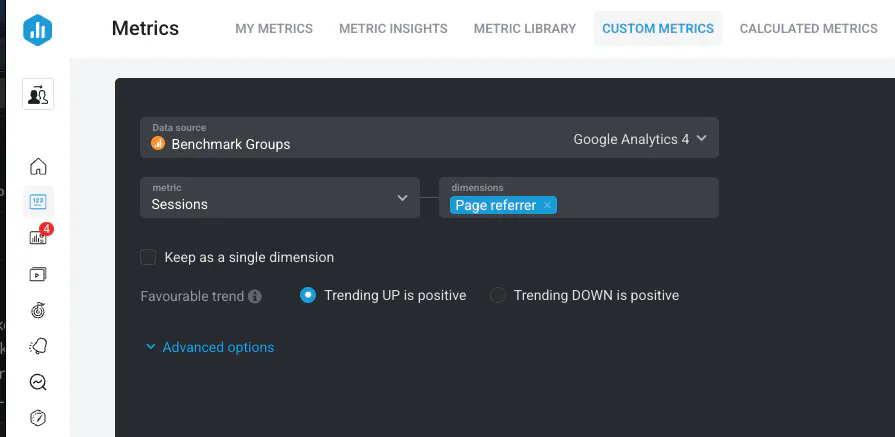
Understanding which external pages or sources are driving users to your website can offer valuable insights into referral traffic performance. In Databox, you can use the Metric Builder with GA4 to break down Sessions by Page referrer.
Open the Metric Builder and select your connected Google Analytics 4 (GA4) Data Source.
Set the metric to Sessions.
Set the dimension to Page referrer.
Save the Custom Metric and add it to your Databoard as a table, bar chart, or other suitable visualization.
Tracking Sessions by Page referrer allows you to:
Identify which referral sources are generating traffic.
Understand partnership, backlink, or content distribution performance.
Report on referral trends over time.
Learn more about building Custom Metrics in GA4: How to Build Custom Metrics Using Google Analytics 4 (GA4).