

If you've encountered a “Facebook Ads API Unavailable” error while building a Custom Metric from Facebook Ads, the issue might be because of an incorrect filter set up for the Actions metric. Understanding how to filter this Metric correctly can help avoid unnecessary errors and troubleshooting.
When using the Actions metric in a Custom Metric, remember that it’s a numeric field.
Avoid applying text-based filters (e.g., filtering by action type using a keyword like "link_click"). This will trigger an error.
If you want to report on a specific action type (e.g., video views, conversions), use the Action Type Dimension instead.
Set up your Custom Metric to group by Action Type or apply a text filter directly on Action Type, not on Actions.
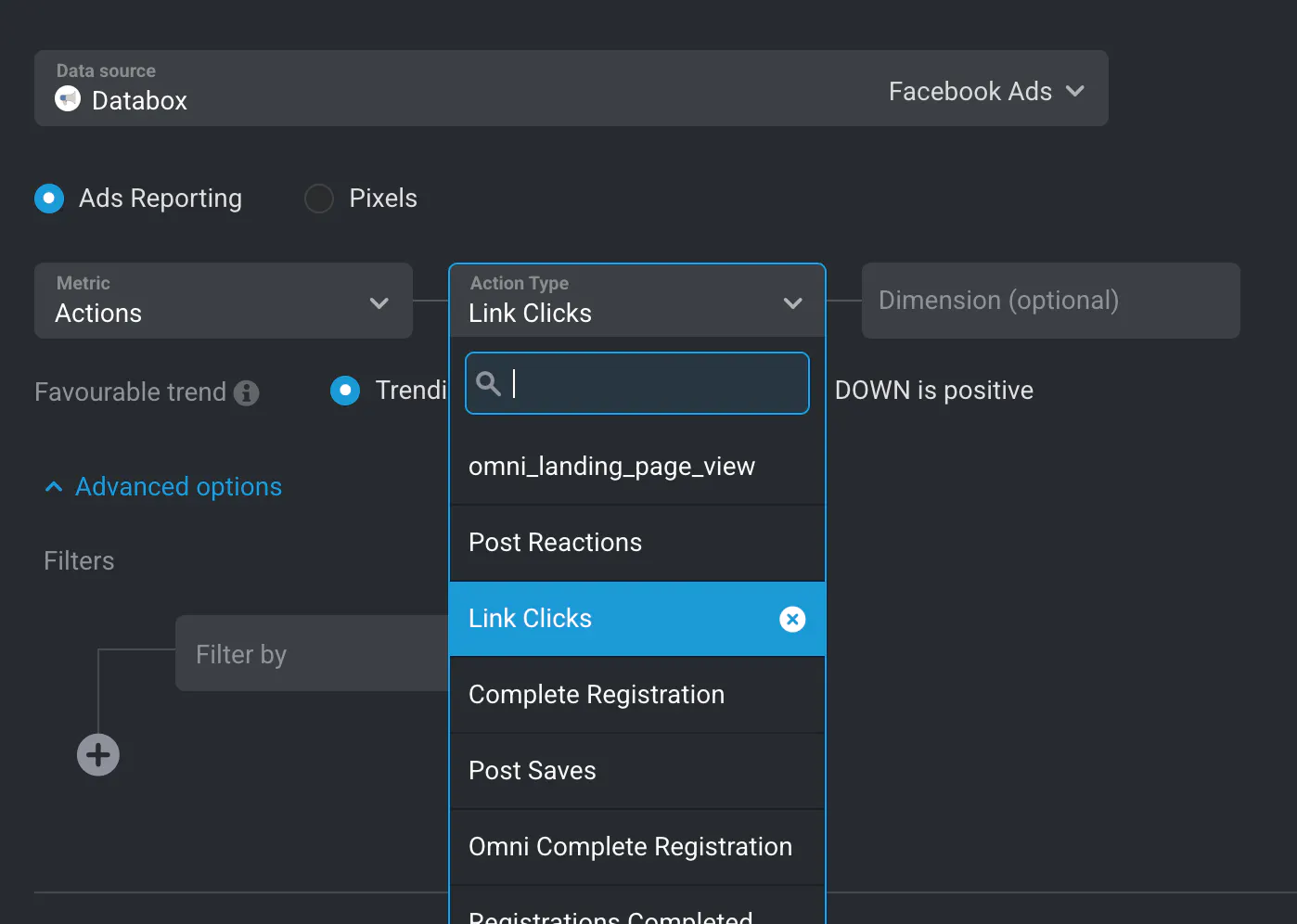
To avoid Facebook Ads API errors in Databox, always filter Actions (a numeric Metric) using numeric operators only. Use Action Type when filtering by specific types of actions like link_click, video_view, or purchase.
Learn more about Facebook Ads metrics here: Databox Facebook Ads Integration Overview.