

Want to see where your users are located? GA4 tracks this data natively, and with Databox’s Metric Builder, you can break down Total users by Country for deeper geographic insights.
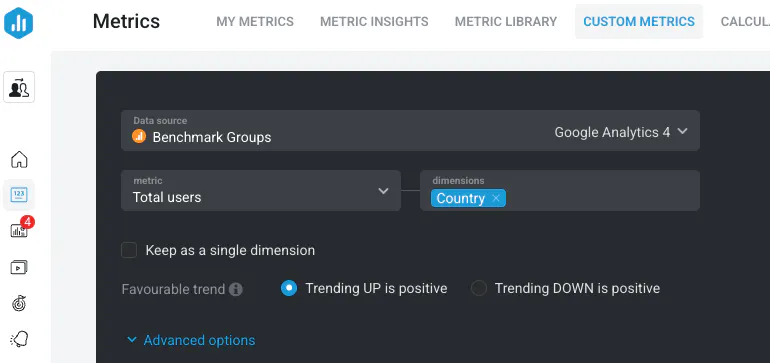
Open the Metric Builder and select your GA4 Data Source.
Set the metric to Total users.
Set the dimension to Country.
Save the Custom Metric and visualize it on your Databoard using a table, bar chart, or map.
Reporting on Users by Country allows you to:
Understand regional audience distribution.
Support localization strategies with geographic data.
Optimize marketing campaigns for top-performing regions.
Learn more: How to Build Custom Metrics Using Google Analytics 4 (GA4).