Follow the Metric Recipe below to create the custom metric that shows the name of the deal and when the upcoming commitment or contract start date is based on the deal amount.
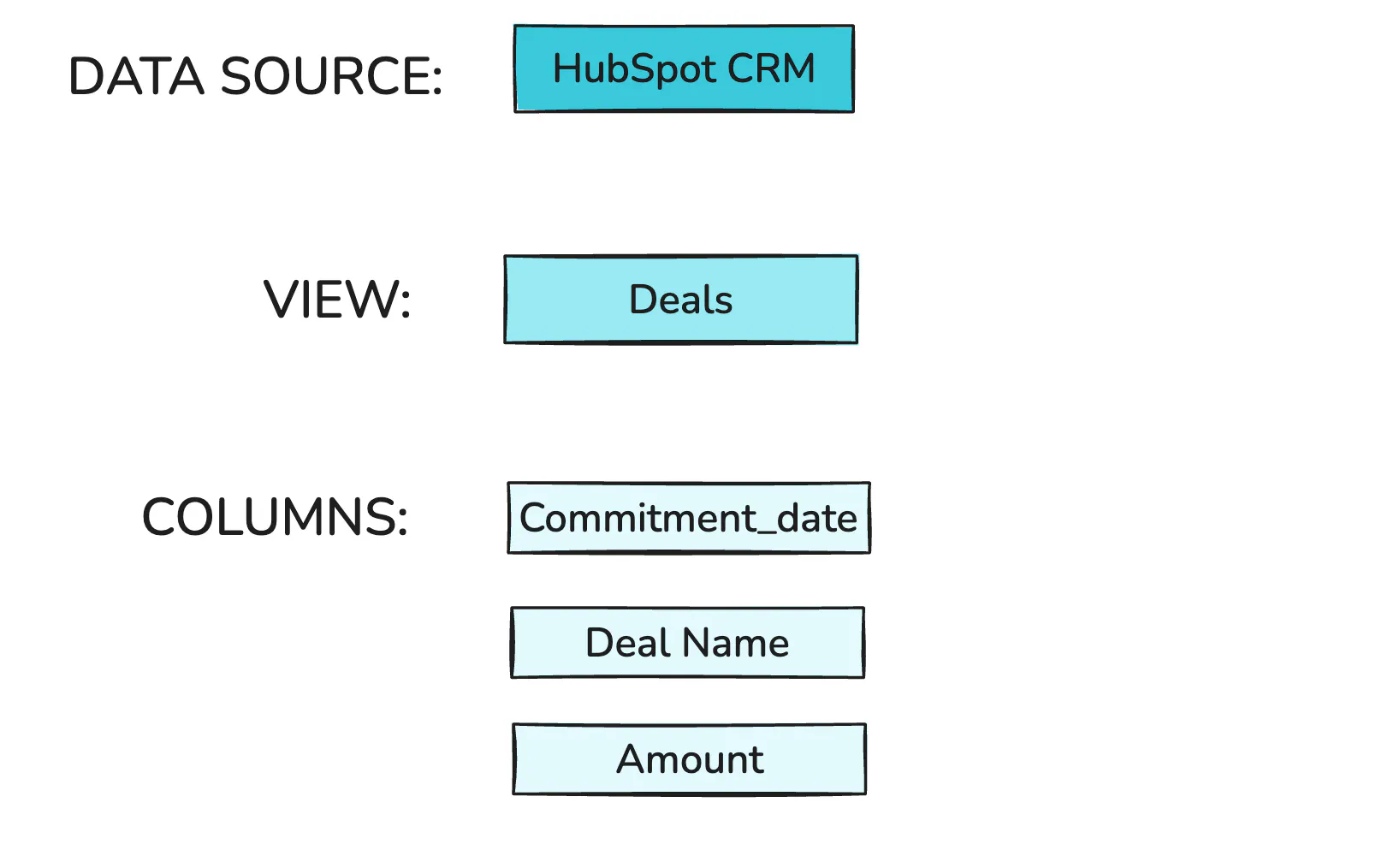
Navigate to the Datasets page and create a new Dataset for the selected source.
Data Source
Views
Columns
HubSpot CRM
Deals
Commitment_date (or any other date)
Deal Name
Amount
Click "Edit Data".
Click on the right side + to create a Calculated Column using this formula:
concat(left($Commitment_date,10),' - ',$Deal_Name)
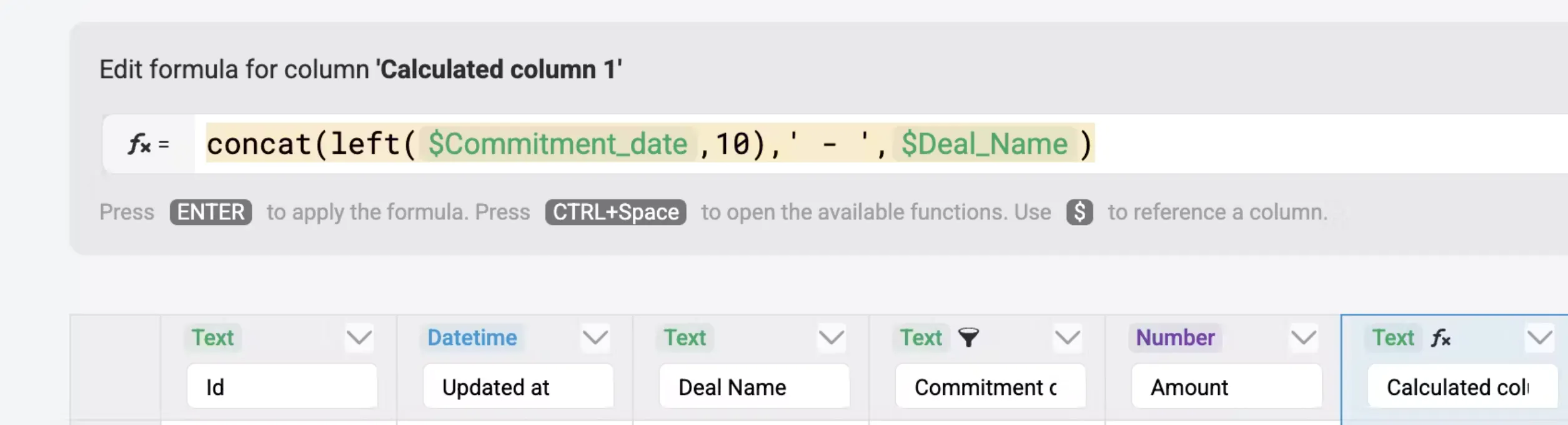
This combines the date and deal name in the same column: "2025-06-21 - Deal Name".
Rename the column to Commitment date & Deal Name.
Navigate to Metric Builder and create a new Custom Metric by selecting the Dataset you previously created.
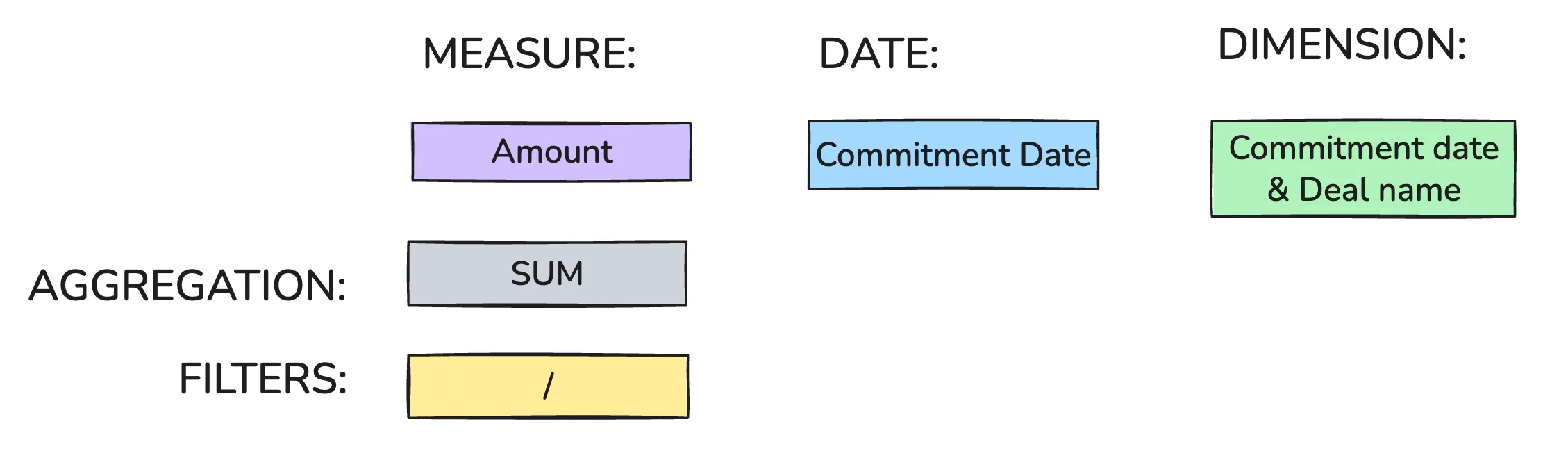
Fill out the Measure, Date, Dimension, Aggregation, and Filter fields as shown in the diagram below.
Name your metric and save it.
Measure
Amount
Date
Commitment Date/Contract start date
Dimension
Commitment date & Deal Name
Aggregation
SUM
Filters
/